

 AUD
AUD
 BRL
BRL
 CAD
CAD
 CHF
CHF
 CNY
CNY
 DKK
DKK
 EUR
EUR
 GBP
GBP
 HKD
HKD
 INR
INR
 JPY
JPY
 KRW
KRW
 MXN
MXN
 MYR
MYR
 NOK
NOK
 NZD
NZD
 PLN
PLN
 RUB
RUB
 SEK
SEK
 SGD
SGD
 THB
THB
 TWD
TWD
 ZAR
ZAR
Copy the list address
This is the only thing you need.
In Unturned, open Play, then Servers
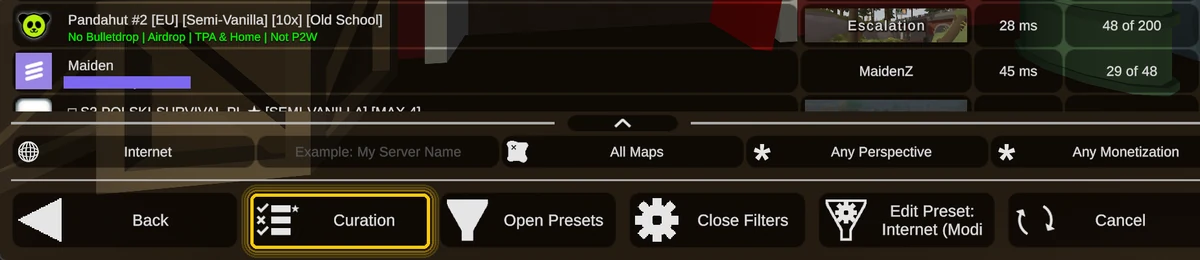
At the bottom of the server browser there is a Curation button, next to Open Presets and Close Filters. It is a built-in Unturned feature, so there is nothing to install.
Paste it and press Add Curator
The field is at the top of the Curation screen. Paste, press Add Curator, and it appears below with a tick beside it. You can remove it again from the same screen whenever you like.

Go back to the server list
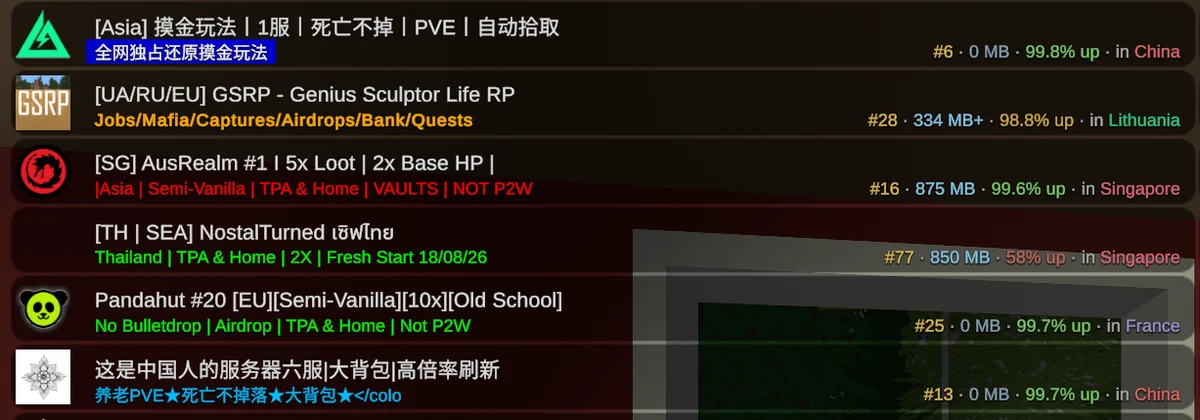
That is it. Ranked servers now carry a line under the name:
- Rank by average players over the last 7 days.
- Download size of the server's workshop mods, so you know before you join.
- Uptime over the same 7 days.
- Country it is hosted in, coloured by its flag.
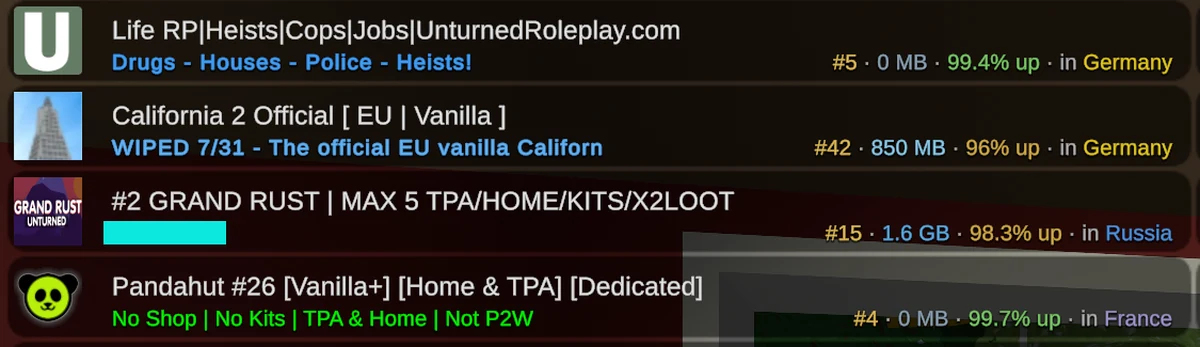
Not every server gets a line. A server has to have averaged at least a quarter of a player over the last seven days to be ranked at all, which is most of what you will see missing: a server that opened today, or came back under a new address after a wipe, has no history to rank yet and picks one up over the following days.
A few are hidden instead, only ones we have blocked for advertising cheats, impersonating another server, or linking to things we could not verify as safe. The list refreshes each time you start Unturned, or immediately if you press Reload on the Curation screen.